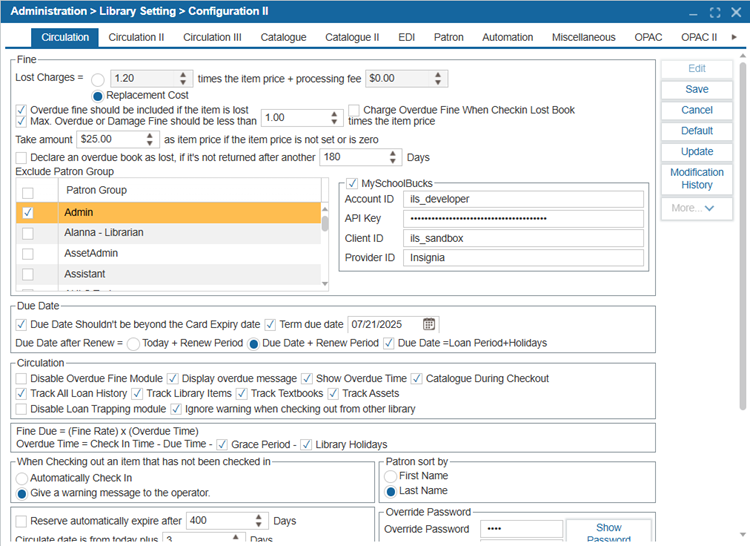
¶ Configuration
ILS is pre-configured so that it can be used immediately. However, if you would like to further configure the ILS, you can do so in the Configuration feature.
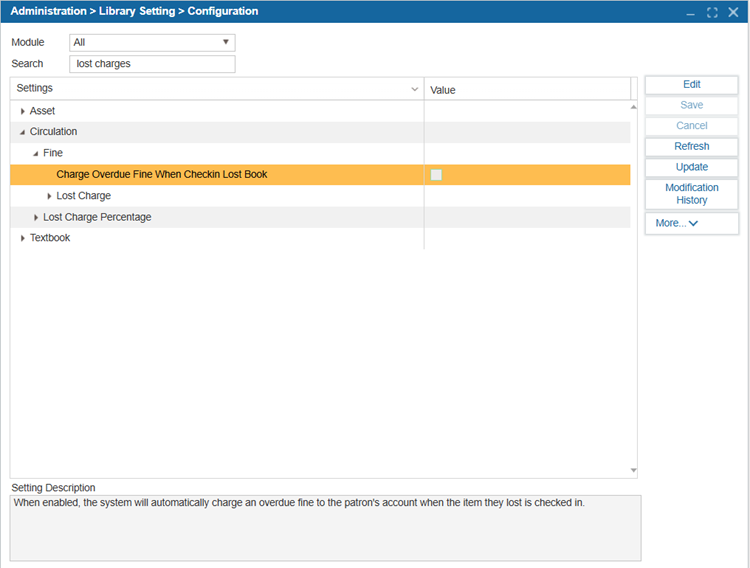
- Navigate to Administration > Library Setting > Configuration.
- Search for a configuration setting by entering a keyword into the Search field. Use the arrows by the head settings to expand the sub-categories.
- Click the Modification History button to view past changes to a setting. This opens a History pop-up window displaying details such as the Machine Name, IP Address, Modified Date and Time, Old Value, etc., before modification.
- To change the value of a setting, select Edit.
- Select Save when finished.
NOTE: Configuration setting changes are site-specific, meaning any modifications will apply only to the current site. However, configuration settings can also be cloned to other sites. This can be done by navigating to Administration > Library Setting > Clone Parameter > Configuration tab.
TIP: If you're unsure about the function of a particular configuration setting, you can refer to its description for more details
¶ Configuration II
Configuration II allows users to view configuration settings in a menu-based layout. This layout was used in the Silverlight version of the ILS. Insignia recommends utilizing the Administration > Library Setting > Configuration to configure the ILS.