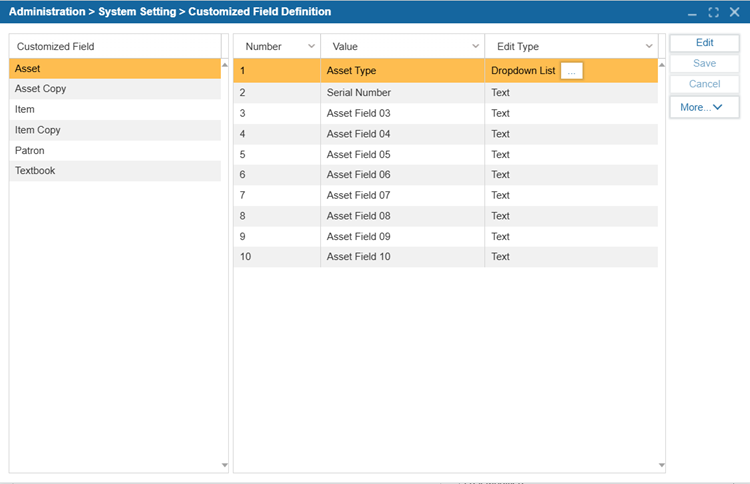
¶ Customize Field Definition
The Customize Field Definition feature allow users to rename and configure custom fields within the system to better fit their library needs.
- Navigate to Administration > System Setting > Customize Field Definition.
- Select the Customized Field.
- Select Edit.
- Rename the Value to update the Custom Field Name.
- Select the Edit Type to specify if the field should be a drop-down or text format.
- Select Save.