¶ Merge Assets with Similar Titles Together
When assets have been duplicated by Title, they can be merged to eliminate redundancy.
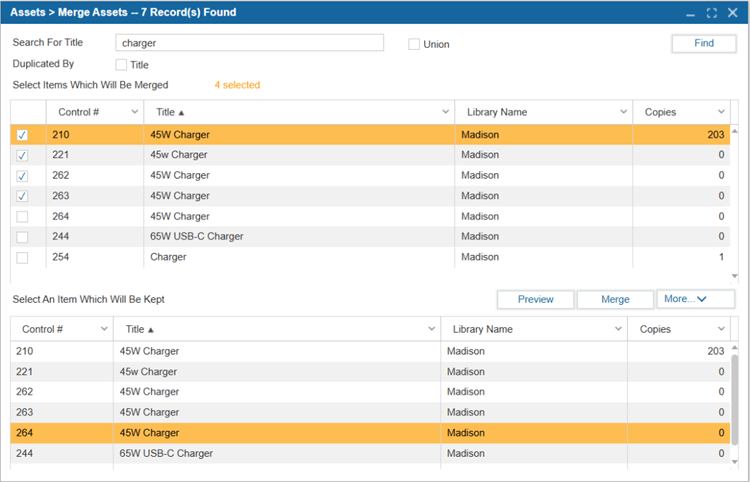
- Navigate to Assets > Merge Assets.
- Select Title to show exact matches of duplicate titles.
- Specify the Search Criteria and Select Find.
- Select Union if you would like to view all duplicate titles matching the search criteria in the organization.
- Select the titles to be merged by checking the boxes in the top grid.
- Select the title that will serve as the record for the merged titles from the bottom grid.
- Select Merge.
- The items will be merged into a single title with the appropriate number of copies.