¶ Quick Toolbar
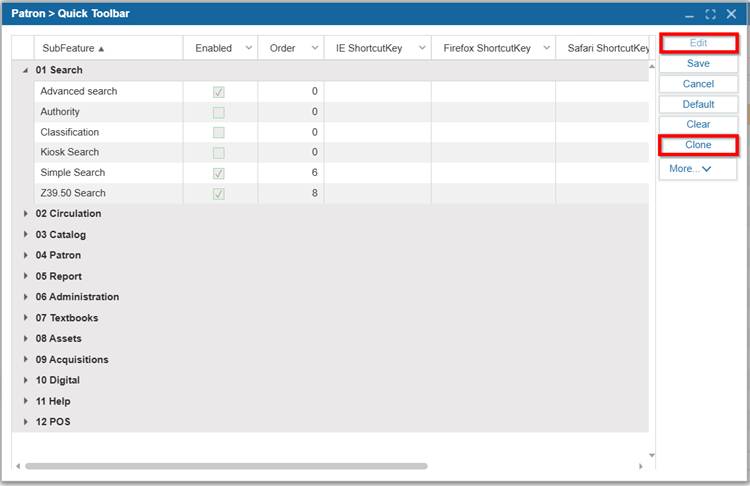
The Quick Toolbar can be customized with a list of icons representing the most frequently used features for easy access.

¶ Enable Features on the Quick Toolbar
- Navigate to Patron > Quick Toolbar.
- Click Edit.
- To add a feature to the quick toolbar, select the Enabled checkbox.
- Set up keyboard shortcuts click into the grid and using the dropdown list to select the ShortcutKey.
- Set an order for the icons by clicking into the Order column and entering a number. Alternatively, you can click and drag the icons in the Quick Toolbar itself.
- Click Save.
TIP: You can also add features to the Quick Toolbar by dragging and dropping them from the Vertical Navigator.
¶ Revert to Default
- Navigate to Patron > Quick Toolbar.
- Click Edit.
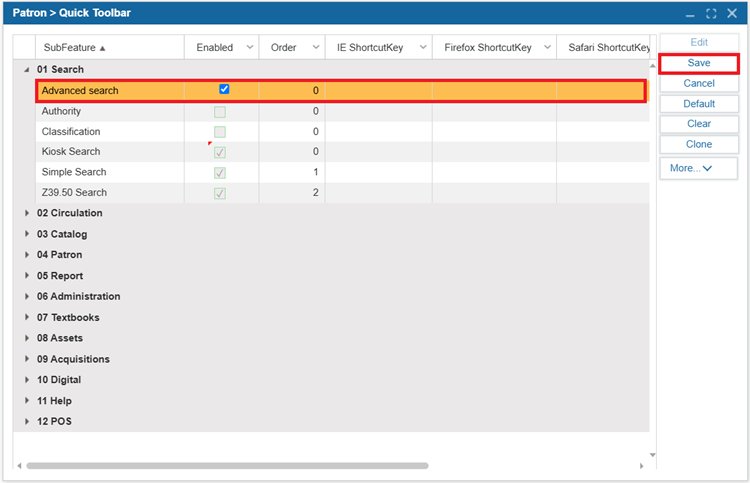
- Click Default to reset back to defaults.
- Click Save.
¶ Remove Features from the Quick Toolbar
- Navigate to Patron > Quick Toolbar.
- Click Edit.
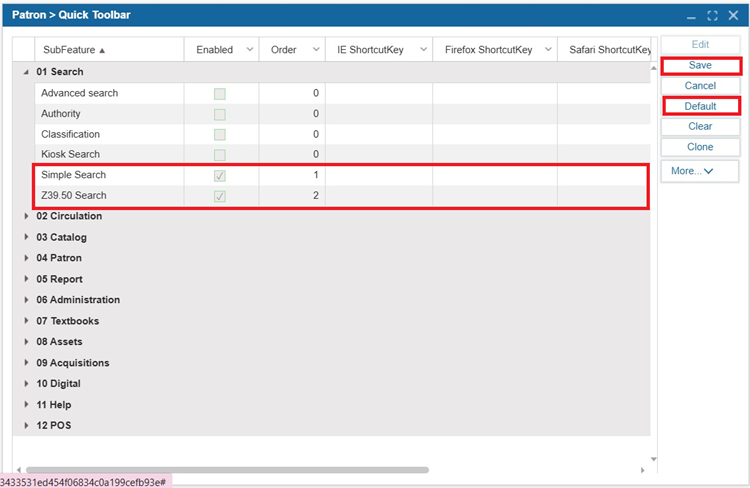
- Click Clear to remove all the selected options from the Quick Toolbar.
- Click Save.
¶ Clone the Quick Toolbar
- Navigate to Patron > Quick Toolbar.
- Click Edit.
- Select the enable box beside the features to add it to the toolbar.
- Set up shortcut keys for Internet Explorer, Apple Safari, Mozilla Firefox, and Google Chrome.
- Set an order for the icons by clicking into the order column and entering a number.
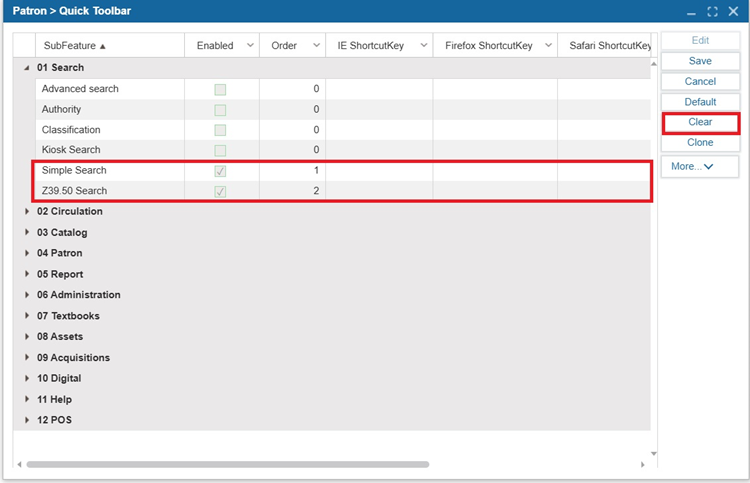
- Click Clone.
- Select the groups you would like to clone the settings you defined to
- Click Clone.
- Click OK.
- Close the Clone Quick Toolbar window.
- Click Save.