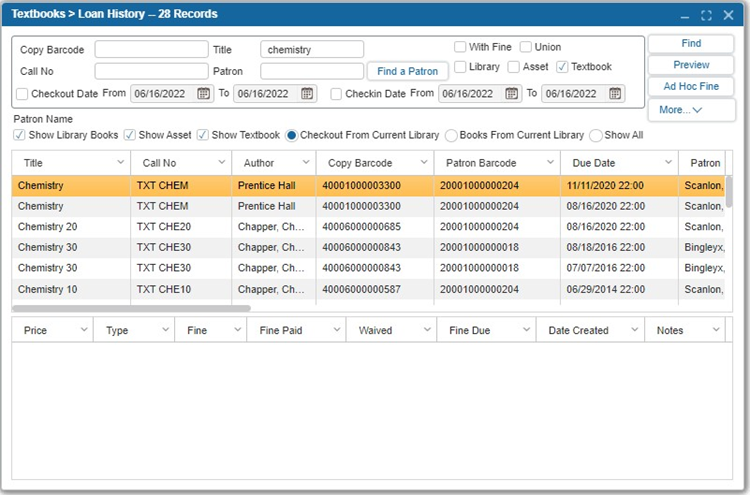
¶ Loan History
Loan History allows users to easily see the history of a specific patron or a specific item or title. To enable this feature, the Track Loan History option must be enabled in Administration > Configuration.
You can view the Loan History for a Patron, a Title, or an Item by following these steps:
- Navigate to Textbooks > Loan History.
- Enter the Copy Barcode, the Patron, Call Number, or the Title of the item.
- Specify whether or not you want to display items With Fines and if you would like to search the Union by selecting the appropriate checkboxes.
- If you want to specifically look at the circulation of a title between a certain date range, select the Checkout Date and/or Checkin Date checkboxes and the date ranges you would like to view.
- Specify whether or not the results should Show Library Books, Show Assets, Show Textbooks, Checkout From Current Library, Books From Current library, or Show All by clicking the appropriate buttons.
- Click Find or press enter to run the search.
- Click Ad Hoc Fine to add a customized fine to any of the Patrons associated with the title selected textbook.
- View the fine history of any item selected in the bottom grid.
- Click Preview to get the list in a form of report (pdf, txt, excel).